


AI automation for business operations is not hard to start. It is hard to keep running.
The first version of the system I built for my own ops failed in about three weeks.
Not catastrophically. It just quietly stopped doing things. A workflow would hit an edge case, the error would be logged somewhere I was not watching, and whatever it was supposed to do just did not happen. I did not notice for days.
That failure mode is more common than the obvious kind.
Why AI automation for business operations fails in production
Most automation projects pass their initial tests. The happy path works. You set it up, it runs, the output looks right.
Then the real world shows up.
An API endpoint changes its response format. A contact record has a field value nobody anticipated. An external service is slow, so a webhook times out. A rate limit hits at 3am when you are not watching.
These are not failure cases you write test scripts for. They are failure cases you build architecture for.
What I built differently the second time
The second version of the system had three things the first version did not.
An orchestration layer that treats failures as data. Every workflow that fails logs: what it was trying to do, what input it received, what the error was, and what state the relevant record was in. This is not just error logging. It is enough information to re-run the workflow with a human checking the context first.
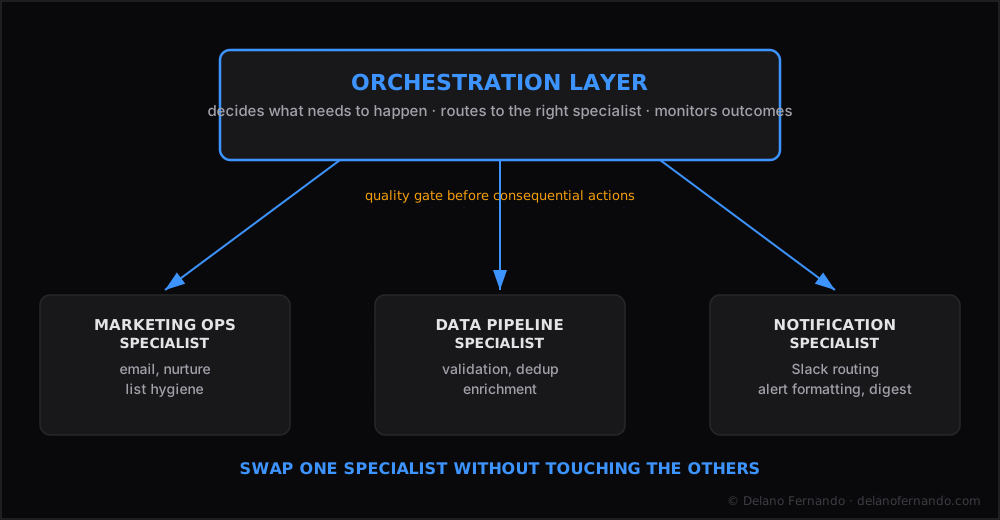
Quality gates before consequential actions. Anything that touches a record, sends a message, or triggers a downstream system goes through a validation step. Does this input make sense? Is the record in the expected state? Has this exact action been attempted in the last N minutes? If any check fails, the action does not fire, and a human-readable alert goes out.
A planner-executor split. One orchestration agent decides what needs to happen. Multiple specialist agents handle the actual execution. This sounds like unnecessary complexity until the day you need to swap out one specialist without touching anything else. That day comes sooner than you expect.
The failure that changed how I think about this
About four months in, the system started sending duplicate Slack messages to one of the channels. Not every time. About 15% of runs.
It took me two hours to find the issue. A timing race between two workflows that were both watching the same trigger condition. In isolation, each workflow did the right thing. Together, they occasionally both fired.
The fix took 20 minutes. The investigation took two hours.
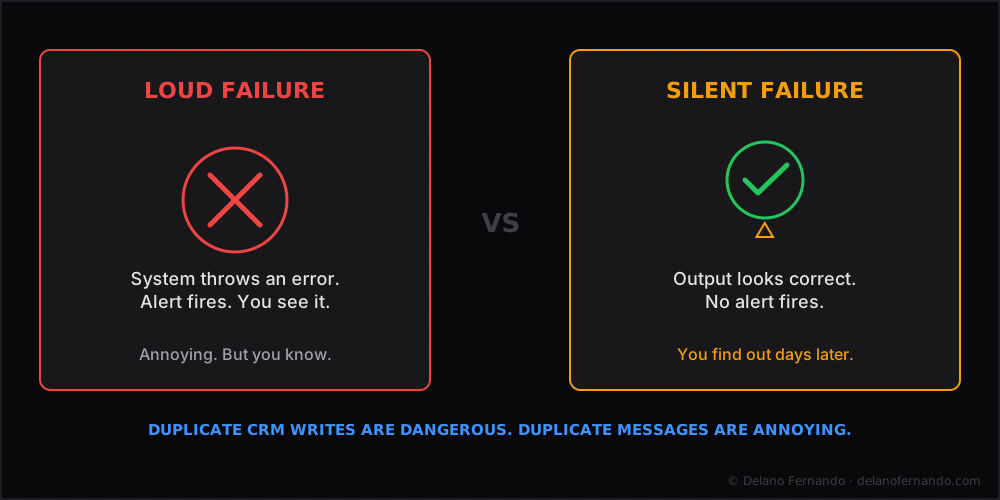
The lesson: the most expensive problems in automated systems are not the ones that break loudly. They are the ones that silently produce wrong output that looks right. Duplicate messages are annoying. Duplicate CRM writes are dangerous. Duplicate financial records are a compliance event.
Idempotency (the property where running the same operation twice produces the same result as running it once) checks are not optional. Every consequential action should check whether it has already been done before doing it.
What 150+ workflows at steady state looks like
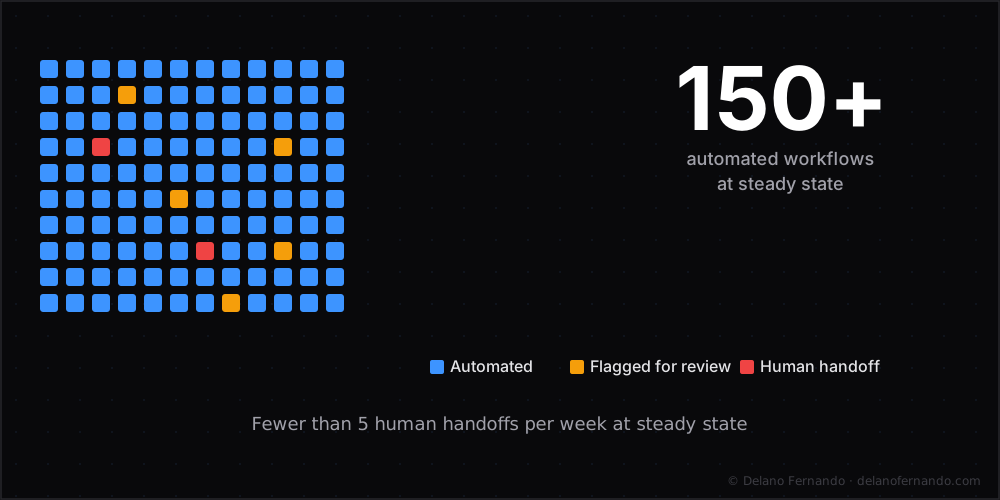
At steady state, the system runs somewhere between 150 and 200 workflows per week across six operational domains as a single automated workflow system. Most run without anyone noticing. That is what good looks like.
The ones that flag for human review fall into two categories: genuinely novel situations the system has not seen before, and records where the input data is ambiguous enough that a machine should not make the call. Designing the human handoff correctly is especially critical in customer-facing automations — the AI customer support post covers what happens when that boundary is defined correctly versus when it is not.
Both of those are correct. The system is not trying to handle everything. It is trying to handle everything it can handle well, and route the rest to a human with enough context to decide quickly.
That ratio took about six months to tune.
The full architecture is detailed in the Multi-Agent AI Coordination System case study. If you are building something similar, let’s talk.